
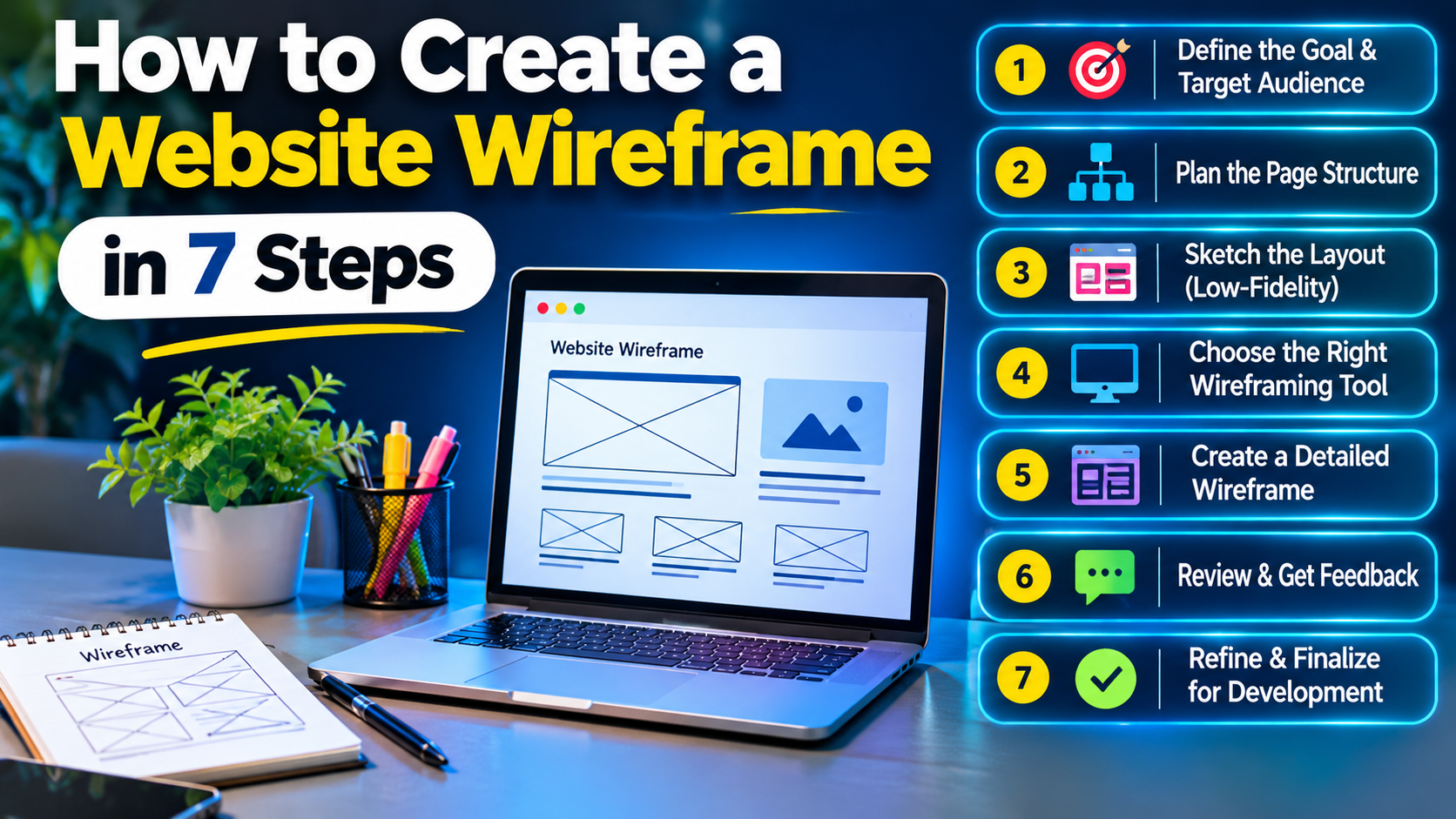
 How to Create a Website Wireframe in 7 Steps (Even If You're a Beginner)
Consider a shop owner in Delhi who is forking out ₹40,000 on a website. The designer delivers the first draft, and the owner asks for changes to the enquiry form next. Then they ask to change the menu. Then the owner asks for a revision of the homepage.
The major part of the changes can be avoided. Those familiar with website wireframing know that it is important to finalize the layout before the colours and codes are applied. This article is written for beginners, entrepreneurs, and design students who are looking for a proper guide, essential tools, and examples.
A web wireframe is a simple illustration showing where elements like headings, images, buttons, and menus will be placed on a page. To create a wireframe, define the purpose of the page, select the information you want to present, create a sketch on paper, and then design it with Figma.
In short, you just need to: define the purpose of the page, make a sketch of the page layout, create the wireframe in Figma, and see the results with a sample of users.
What is a Website Wireframe and Why Build One First?
A website wireframe is a basic, black-and-white webpage layout used in UI/UX design. It shows where headings, images, buttons and menus go, plus the information architecture, meaning how content is organised. Nielsen Norman Group describes wireframes as page-level blueprints.
- Wireframe: the layout only.
- Mock-up: the same layout with colours, fonts and images.
- Prototype: a clickable hi-fi prototype for testing how pages connect.
Skipping website wireframe design usually means redoing finished screens, which costs hours and causes client disputes. A clear layout also lets developers start building sooner.
How to Create a Website Wireframe: 7 Steps
You can create a website wireframe in seven steps: set the page goal, list the content, sketch on paper, pick a tool, build the layout, test it, and hand it off. A five-page site usually takes one to three days.
Many beginners skip the first two steps and start drawing boxes. The layout looks tidy but does not help visitors do anything.
- Specify the purpose of the page and who it is for. Write one sentence – for example, “Ask a Delhi homeowner to call back.”
- Create a sitemap listing all the content. A sitemap is a simple map of your pages. Record the instructions that should be written on each page.
- Create paper sketches of low fidelity prototypes. A low fidelity wireframe is a sketch of boxes and labels. Begin with the home page wireframe.
- Select a tool, and create a grid. A grid system is a collection of columns to help align elements. Both Figma and Balsamiq have one.
- Install the base blocks. Include a header, navigation, headline, form, footer and call to action (CTA button). Do not put the main call to action above the fold - the space that will not require scrolling.
- Make notes and test. Label each block. Have 3-5 people identify one action. The Nielsen Norman Group recommends using five users for testing.
- Hand off. Share the file, user flow – how a visitor moves from landing to action.
Which Wireframe Tools Should You Use?
Figma is the easiest wireframe tool to start with, because it runs in a browser and has a free plan. Other tools suit different needs, and pen and paper still works for first drafts.
| Tool | Best for | Learning curve |
| Figma | Students, Freelancers, Agencies | Low to Medium |
| Balsamiq | Quick, rough layouts | Low |
| Adobe XD | Teams already using Adobe | Medium |
| Miro / FigJam | Early brainstorming with a team | Low |
| Pen and paper | First sketches | None |
In most cases, sketch on paper first, then move to Figma. Students and freelancers may find Figma enough, while agencies often value its shared comments.
How to Make a Figma Wireframe?
To make a Figma wireframe, create a frame, build the layout, link your screens and share the file.
- Press F and choose a frame: 1440 px wide for desktop, 390 px for mobile.
- Draw boxes and text, then apply auto layout, which keeps spacing even as content changes.
- Add a free wireframe UI kit from Figma Community.
- Link frames in Prototype mode to build a clickable flow.
- Click Share and copy the view-only link.
Website Wireframe Examples You Can Copy
Use these website wireframe examples as a starting template. Copy the block order, then adjust it to your content.
- Service-business homepage: Hero with headline and CTA, services, customer proof, enquiry form, WhatsApp button, footer.
- E-commerce category page: Filters on the left, product grid, ₹ price on each card, COD (cash on delivery) badge, sort menu.
- Course or lead-form landing page: Headline, short benefits list, one form, trainer details, single CTA.
On a mobile website wireframe, stack blocks in one column and keep buttons thumb-sized. Many Indian visitors browse on phones, so design that screen first.
What Should a Web Designing Course in Delhi Teach About Wireframing?
A good web designing course in Delhi should teach wireframing through live projects, not slides alone. Look for hands-on Figma practice, real client briefs, portfolio reviews and placement support.
Use this checklist when you compare institutes:
- Live Figma projects: You build a homepage and a mobile wireframe, not just watch demos.
- Real client briefs: You work from a brief with goals, content and a deadline.
- Portfolio review: A trainer gives feedback on each wireframe before it goes in your portfolio.
- Placement support: The institute explains how it helps with interviews and job leads.
At GICSEH , trainers teach wireframing in the first modules of the web designing course.
Final Thoughts
A website wireframe may look like a few boxes and lines, but it can save hours of revisions during website development.Whether you're a student, business owner or aspiring web designer, start with a clear page goal, sketch your ideas on paper and then build the layout in Figma.
Focus on where content, navigation and call-to-action buttons should go before worrying about colours and fonts. With regular practice, you'll get better at creating layouts that are easy to use and understand.
If you want to build these skills through practical projects, book a free demo class at GICSEH and see how our web designing course can help you get started.