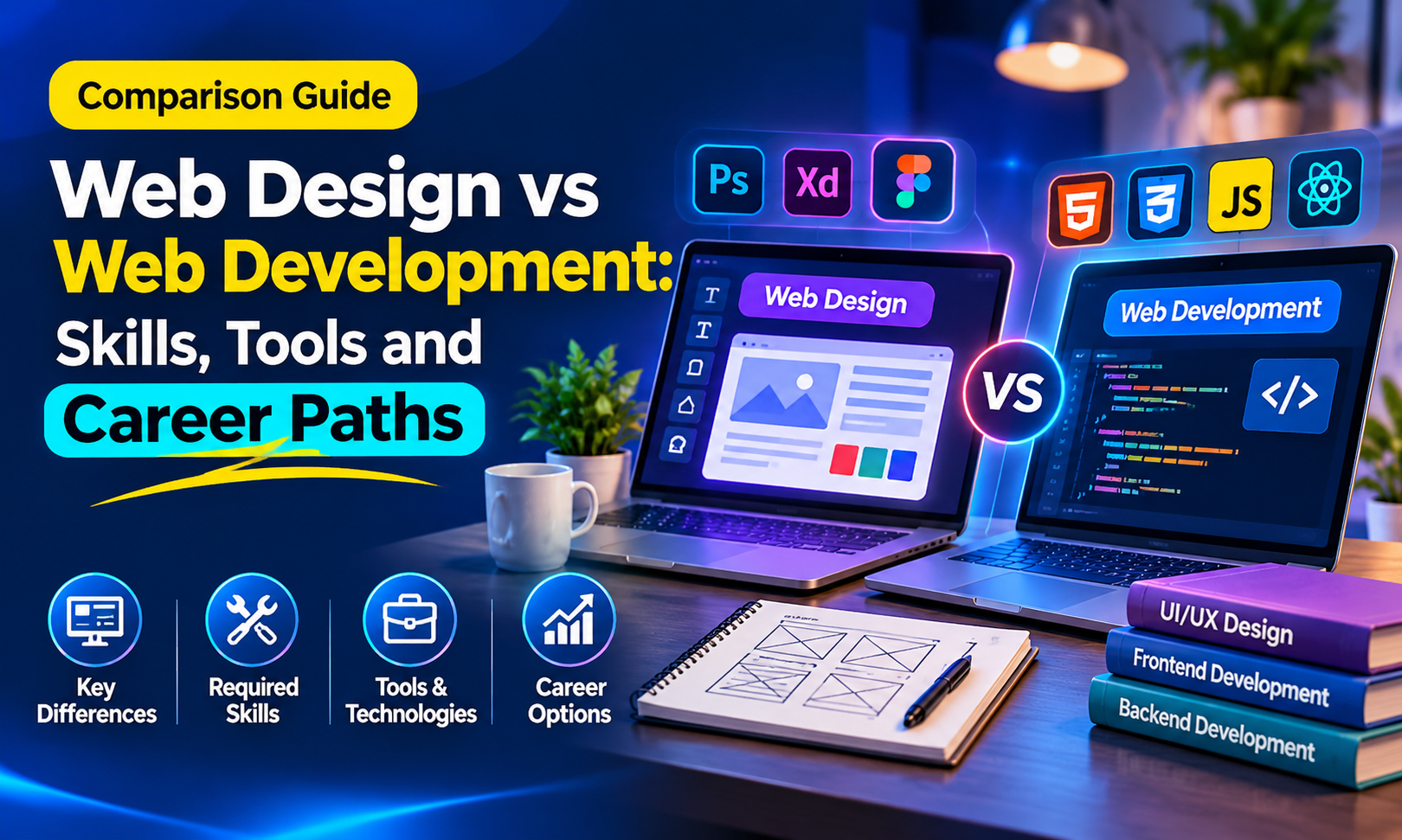
 Web Design vs Web Development: Skills, Tools and Career Paths
Web Designing Course in Delhi: Learn to Design Websites Clients Actually Pay For
You land on a website and you know in seconds if you like it or not. No one explains to you why. Someone created that sensation and it wasn't by chance.
It's a person who is a web designer. Beginner web designing course is a place where an individual with no coding knowledge will learn that skill gradually starting from literally zero.
If you're a student, working professional, or a business owner who's tired of waiting on others, there's room for you in this industry.
Curious to see what it actually looks like? Here is a sneak peek of what is coming, from wireframes to Figma, and some surprises along the way.
What Does a Website Design Course Actually Teach You?
The website design course shows you how to build web pages including planning and design that are functional and attractive across devices and in providing the necessary information to visitors.
You need not worry if you are not acquainted with programming. The course considers beginners and starts from the very fundamentals.
Skills You'll Pick Up
- Layout, typography and colour theory: how to arrange a page and choose fonts and colours that suit a brand
- UI/UX basics: how people use a website and what makes it easy for them
- HTML, CSS and Bootstrap: the code that turns your design into a working page
- Figma and Photoshop: the tools for creating mockups and editing images
- Responsive design: making a site fit desktops, tablets and phones
- Basic SEO awareness: how page speed and structure affect search results
Is It Only About Making Pages Look Good?
It is not the case. Although looks are important, the design has to give directions to visitors. This is what is called visual hierarchy: the position, size and colour have the power to influence what people notice first.
You will also master the skill of wireframing, where a basic black and white outline is made before products are coloured and illustrated. This process will ensure lesser work at a later stage.
Web Design vs Web Development: Which Path Suits You?
Many beginners think these two are the same thing. They're related, but the work is different.
| Web Design | Web Development | |
| Focus | How the website looks and feels | How the website works |
| Work involves | Layout, colours, fonts, user experience | Coding, forms, databases, logins |
| Common tools | Figma, Photoshop | Programming languages |
Can You Do Both?
Yes, to an extent. Many designers learn HTML and CSS so they can build their own designs. That's why most web design institutes in Delhi now include some coding in the course.
Enjoy the visual side? Start with design. Prefer logic and problem-solving? Development may suit you better.
Who Should Join a Web Designing Course?
If you've ever thought, "I wish I could build my own website," this is for you. A website designing course doesn't need a particular background, only interest and regular practice.
- Students after 12th or graduation: a good way to start a creative, skill-based career
- Working professionals: useful if you want to move into digital work
- Print designers: you can take your design sense online
- Business owners: handy for managing your own website
- Freelancers: web design is a service you can offer to clients
Tools You'll Use in a Web Design Course (and Why They Matter)
A web designing course isn't just theory. You also get hands-on with the tools designers use every day.
| Tool | What it's used for |
| Figma | Designing screens, prototypes and working with a team online |
| Adobe XD | Mockups and prototypes, popular with Adobe users |
| Photoshop and Illustrator | Editing images and making graphics or icons |
| Browser DevTools | Checking spacing and how your design looks in a real browser |
Learn the Basics First, Tools Second
Many beginners jump straight to learning software. But tools keep changing, while design basics stay the same.
Once you understand layout, colour and spacing, picking up any new tool becomes much easier.
Web Designing Course in Delhi at GICSEH: Why Pick a Web Design Institute in Delhi-NCR?
Choosing where to learn matters as much as what you learn. If you're looking for a web designing course in Delhi-NCR, GICSEH runs its course from two centres, so you can pick the one closer to you.
Course Snapshot
| Detail | Info |
| Duration | 85 hours |
| Mode | Online and offline |
| Locations | Noida (near Electronic City Metro) and Preet Vihar, Delhi (near Preet Vihar Metro, Gate No. 4) |
| Next batch | 24 Oct 2026 |
| Demo | Free demo class available |
What to Look for in a Web Design Institute in Delhi
Before you join any institute, check a few things:
- Does the syllabus cover Figma, HTML, CSS and responsive design?
- Will you work on practical projects, not just theory?
- Can you attend a demo class first?
Not sure yet? Book a free demo and see how we teach before you decide.
How Designers Build a Website, Step by Step
- Have you ever thought about the process of launching a website? Professional web designers follow a process that is easy to comprehend. A quality web designing course teaches you everything from A to Z.
- Identify what the client wants: If it’s a website for a restaurant, it will have a section for booking and menu. In the case of a coaching website, it needs a section for inquiries. Always begin with knowing the aim of the project.
- Wireframe it: Think of the position of the headings, buttons and sections in monochrome colours.
- Create the UI design: Use Figma to design the website, including colours, fonts, images into the layout.
- Check for responsiveness: Confirm what the website will look like on desktops, tablets, and mobile phones.
- Transfer the design to the developers: Provide the useful design for further transfer into a live website.
Design That Gets Visitors to Act
A good-looking site isn't enough. It should also help visitors take action, like making an enquiry or filling a form.
- A clear call-to-action button
- Images that load fast
- Simple forms with fewer fields
Career Options and Portfolio Tips After Your Course
Once you finish a web design course, you don't have to pick one path right away. See which kind of work you enjoy most, then go in that direction.
| Role | What you do |
| UI designer | Turn layouts into polished, on-brand screens |
| UX designer | Study how users move through a site and fix problems |
| Front-end/UI developer | Use HTML and CSS to bring designs to life |
| Freelance web designer | Work with your own clients, on your own schedule |
Start Your Portfolio From Week One
Don't leave your portfolio for the last day. Build it as you learn.
- Turn each practice project into a short case study
- Show your process, like wireframes and ideas, not just the final screen
- Upload your work early on a platform like Behance
Clients and employers want to see how you think, not only how your design looks.
Ready to Start Designing?
Every website you visit began as a simple idea on a screen. With the right guidance and regular practice, you can turn those ideas into real designs.
If you're thinking about a web designing course, come and see how we teach. Book a free demo at our Noida or Delhi centre.
Call us: +91-8800955639, +91-9871700866, +91-8368840052
Email: info@gicseh.com